
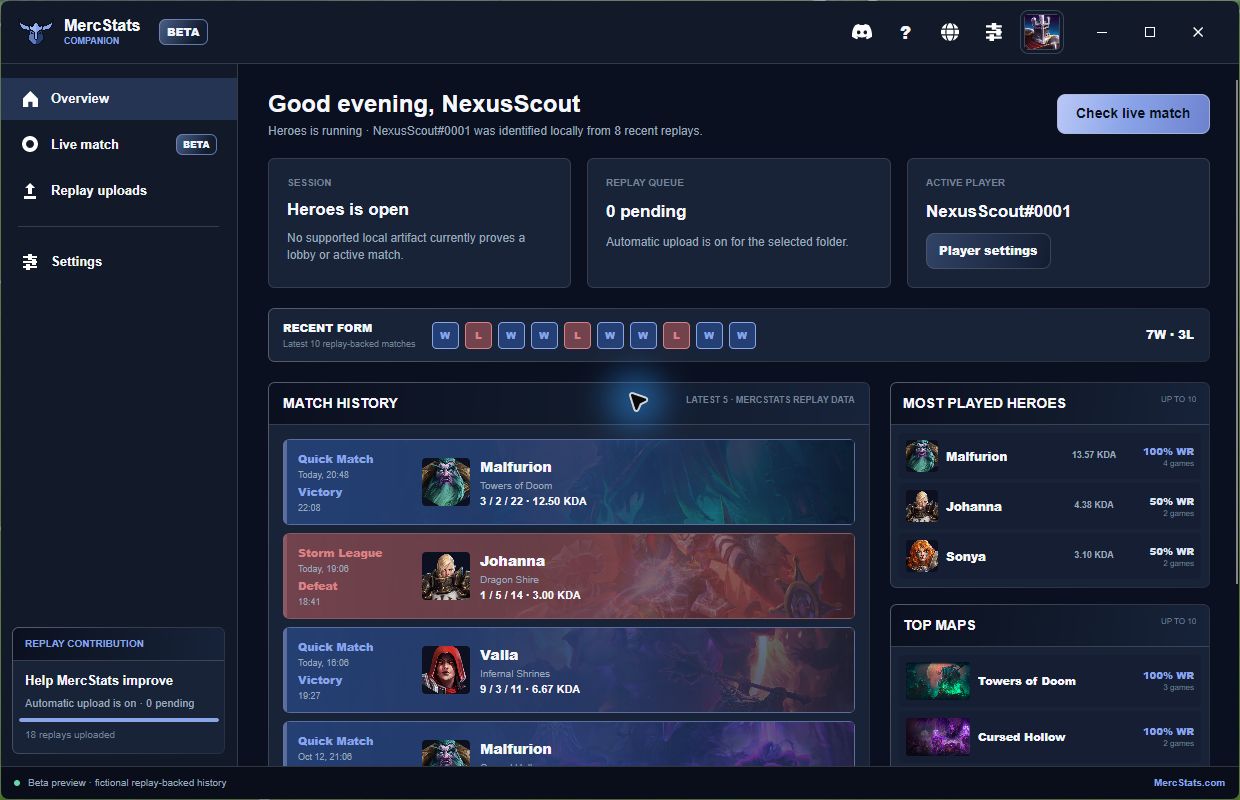
MercStats is moving closer to the game. The new MercStats Companion beta keeps recent form, match history, player context, and replay contribution in one desktop application. Windows and Linux packages are available now, with macOS in progress.
From game launch to post match
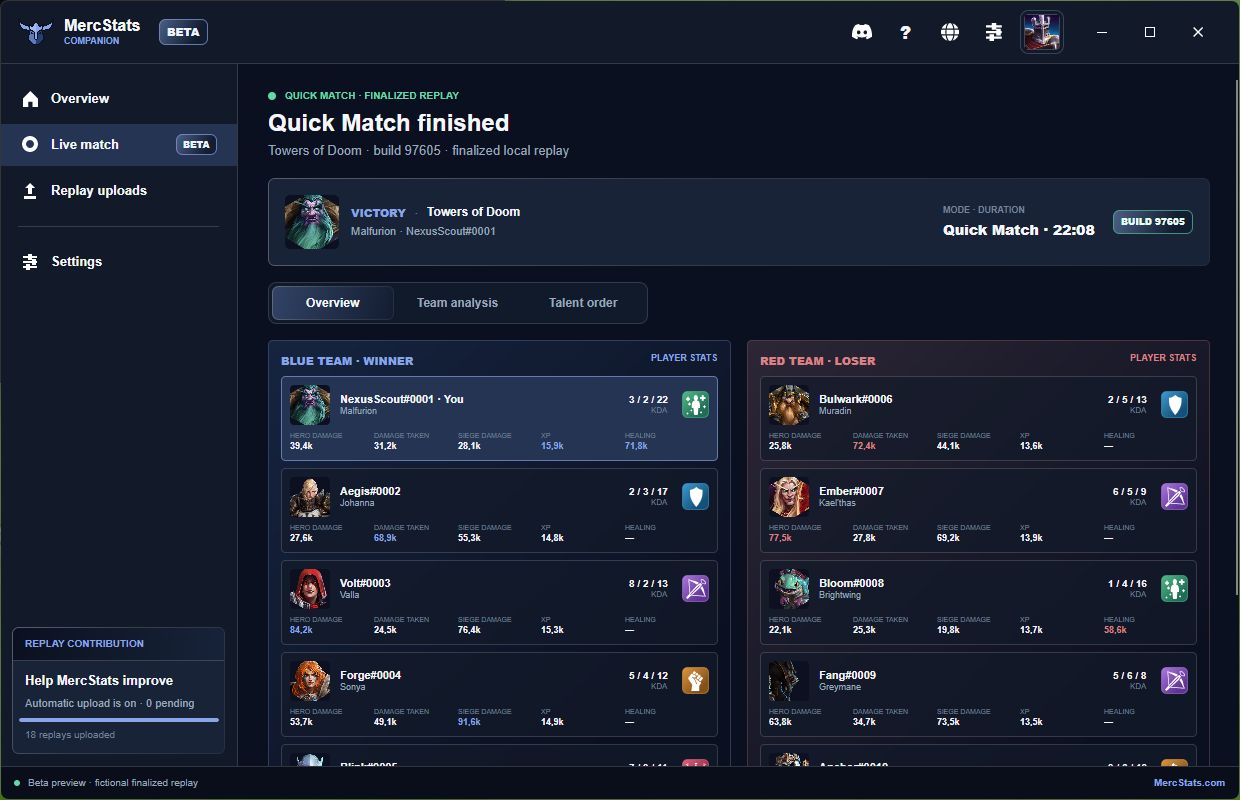
When Heroes of the Storm opens, the companion identifies the active local player from completed replay evidence and loads replay-backed MercStats history. On Windows, an optional local draft-screen detector can open the same live match view during the visible draft with map guidance and clickable player profiles. The first beta is calibrated for the English Heroes client. A supported local loading-screen artifact then replaces that provisional view with authoritative lobby data. When the finalized replay arrives, the view becomes a post-match report with both rosters, team comparisons, player statistics, and the recorded talent order.
Replay contribution without the folder work
You can select the standard Heroes Accounts folder once to cover the replay folders for every local account, or choose a narrower custom folder. Automatic uploads remain a separate choice. The companion waits for completed .StormReplay files, sends them through the same MercStats upload contract as the website, and keeps retry and processing states visible.
A deliberate fair-play boundary
The companion uses permitted local Heroes files, finalized replays, and—only when explicitly enabled on Windows—the map and player names already visible in the foreground draft screen. Screen captures are processed locally and discarded immediately. It does not read game memory, intercept network traffic, automate gameplay, or claim hidden live information. ARAM continues to use its loading-screen lobby, while drafted modes can show map guidance and replay-backed player context before loading begins.
Download the beta
The MercStats Companion page automatically recommends and directly downloads the latest available package for your operating system, while clearly marking packages that are still in progress. This is beta software, so feedback and clearly described edge cases are especially useful.