
Your Heroes of the Storm replays contain more than the final score. Upload them to MercStats to explore your match history, compare both teams, and review the talents you picked.
Start with five recent games. You can upload the files directly in your browser, then search for your BattleTag and region once processing finishes.
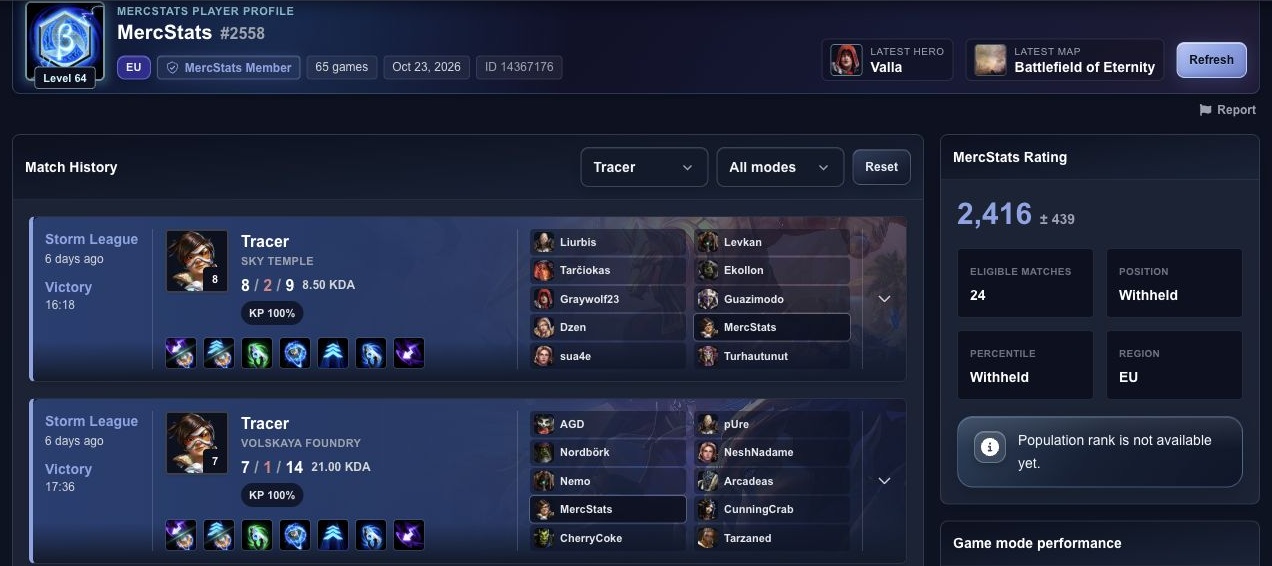
Filter your match history by hero or game mode to find the games you want to review.
Take a closer look at a match
Open a match in your profile to see both teams and the recorded player statistics. The Team analysis tab compares hero kills, XP contribution, hero damage, damage taken, siege damage, and healing.
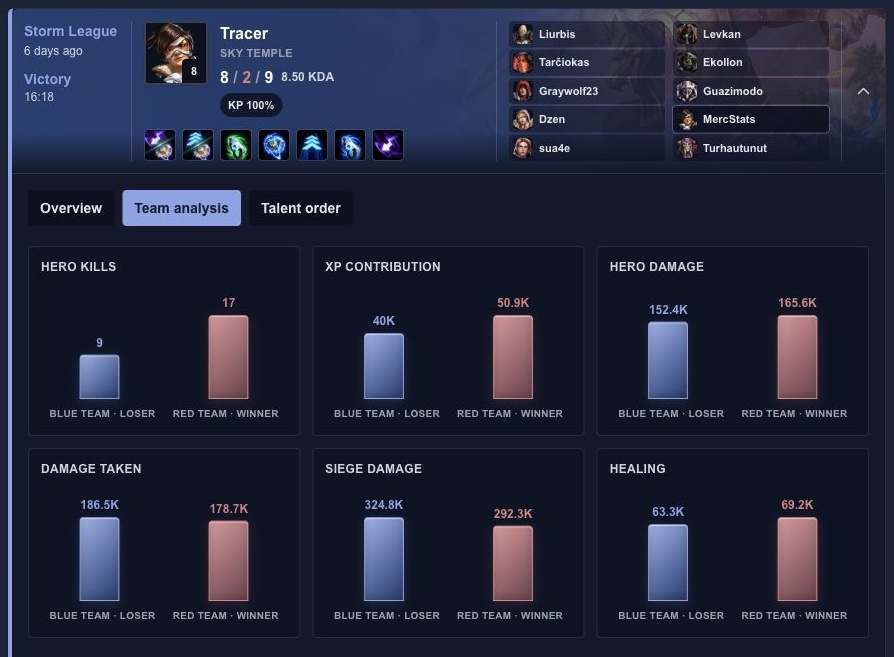
Both teams from the same Sky Temple match, with their results and totals shown side by side.
The Talent order tab shows your selections in order, including the recorded selection times when available. Use it to revisit a build after the game.
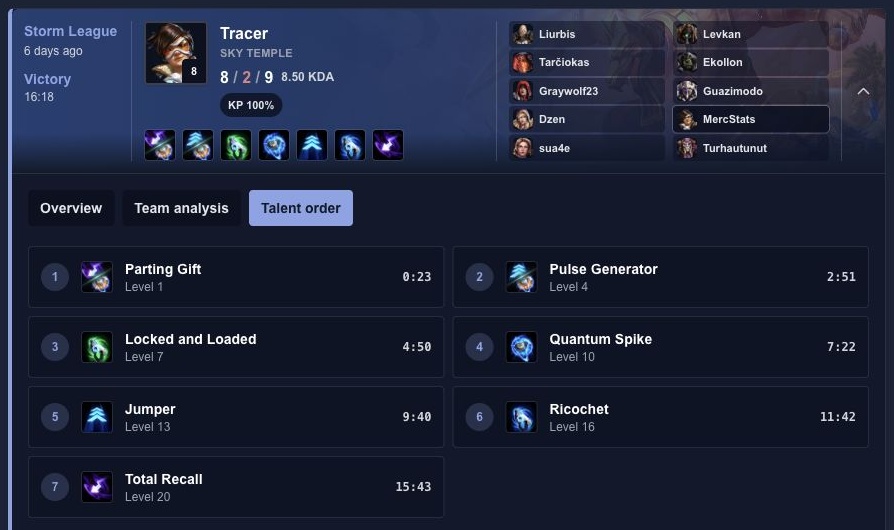
The actual talent choices and selection times recorded in this replay.
Your profile reflects the replays contributed to MercStats. It may not include every game you have played, and statistics based on a few matches are still a small sample.
Upload your first five replays
- Find your .StormReplay files. On Windows, start in Documents > Heroes of the Storm > Accounts. Your account folders contain a Replays > Multiplayer folder.
- Open the replay upload page. Drag in five recent files or use Choose Files. You can also use Choose Folder to contribute a larger selection.
- Start the upload and follow the processing status. Large selections are sent in smaller batches.
- Once processing finishes, search for your BattleTag, choose your region, and open a match in your profile.
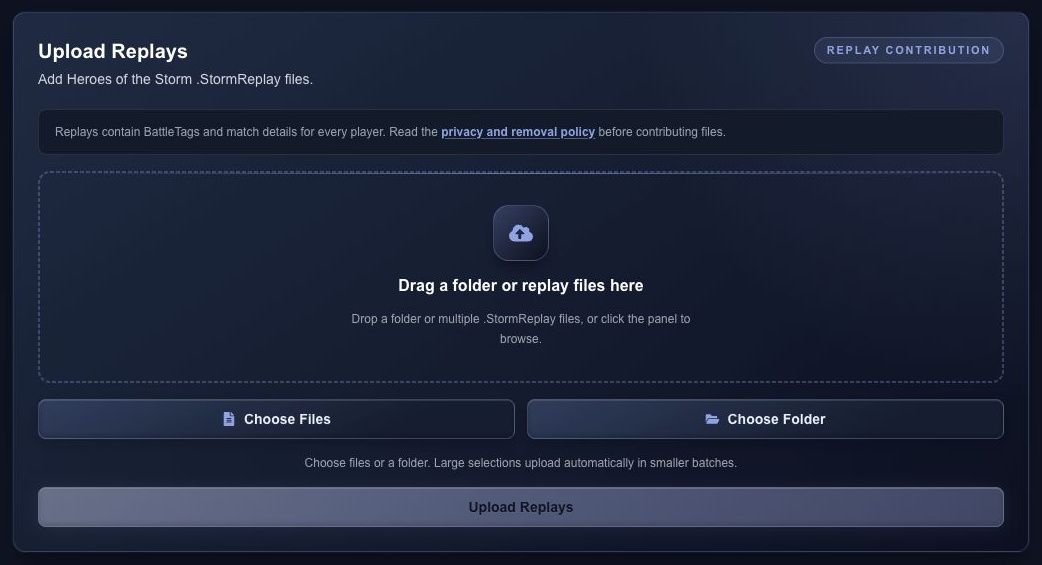
Upload a few recent files to get started, or select a folder for a larger contribution.
Replays contain BattleTags and match details for everyone in the game. Read the privacy and removal policy before contributing.
Keep new matches coming
If you want to keep contributing after your first upload, MercStats Companion offers optional automatic replay uploads on Windows and Linux. Select your replay folder and enable uploads in the app. macOS packages are still in progress.
Every supported replay adds match data that can help expand player histories and the hero and talent statistics available to the community.
Upload five recent replays and find your matches on MercStats.